Workflow Specification
Colour Delivery
Workflow
DaVinci Resolve
Remote Colour Grade
24–25 Frame Handles
01
- Keep to 1–2 editorial video tracks
- Remove LUTs, adjustment layers, temp FX, and editorial looks
- Confirm final frame rate and resolution
- Relink to camera originals or highest-quality sources

Clean, picture-locked timeline for colour conform
This timeline is the grading authority. Keep it simple and deterministic.
02
- File → Media Management
- Timelines → Copy
- Used media only
- Trim keeping 24–25 frame handles (colour standard)
- Transcode: off
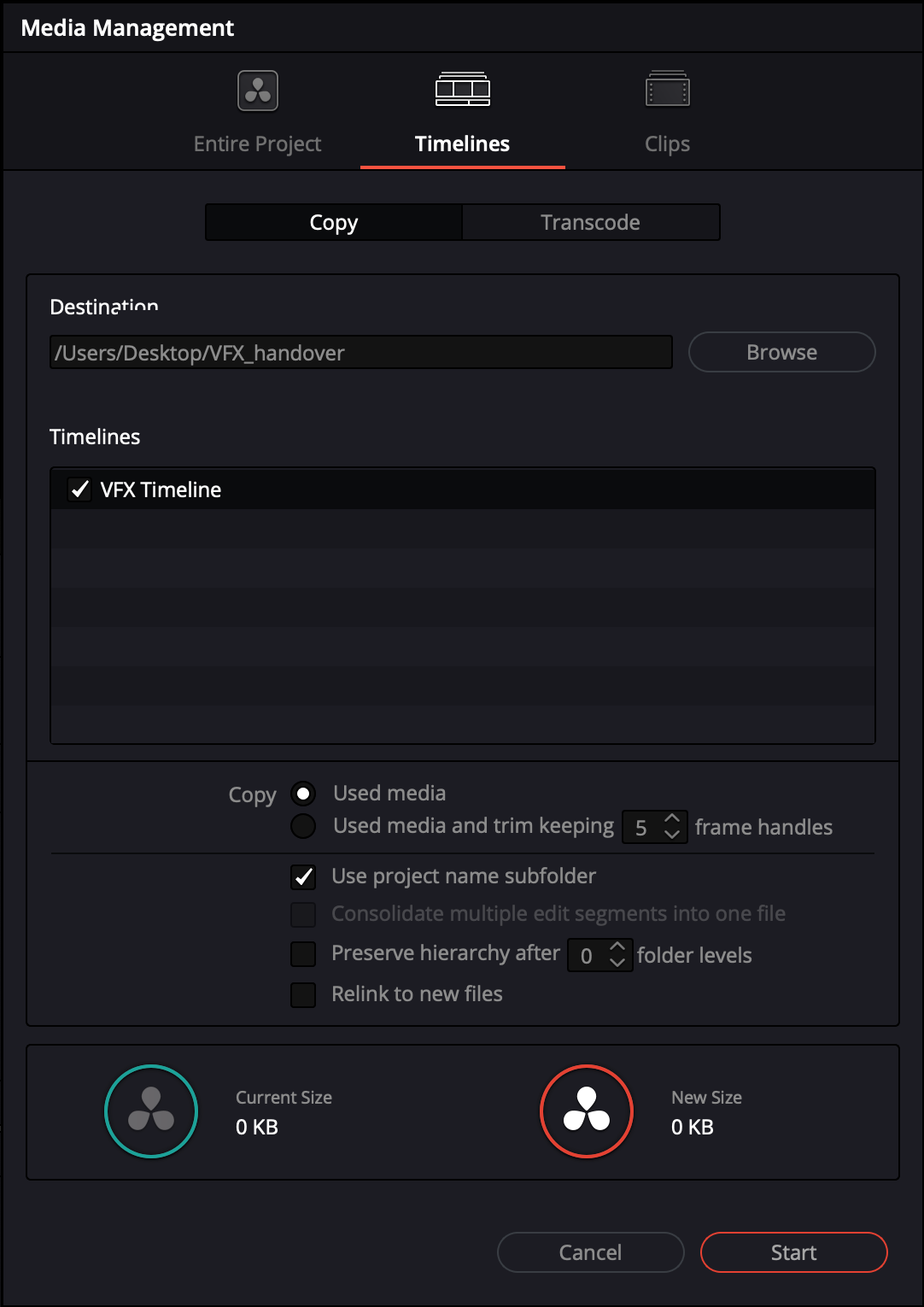
Media Management — UI location reference
Handle policy: Screenshot shows UI location only. The handle value must be set to 24/25 frames for colour delivery — update this field before running.
03
- Reference QuickTime with record TC, source TC, and clip name burn-ins
- On-set LUTs and CDL data (reference only, not baked)
- Any look references or stills used during editorial
- Confirm final framing, aspect ratio, and protected areas
04
- Trimmed camera media (24–25 frame handles)
- Colour Timeline / Resolve project (as agreed)
- Reference QuickTime with burn-ins
- LUTs and CDLs for reference
- Any creative look references